Select
A trigger showing the current choice and a chevron. When open, it shows a raised list under the trigger. You build the list's rows between Begin and End, either with runtime.SelectItem or with rows of your own.

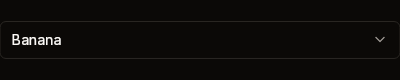
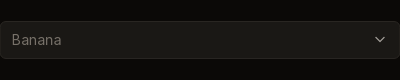
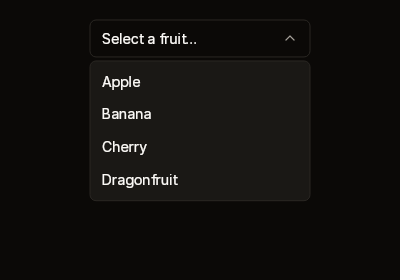
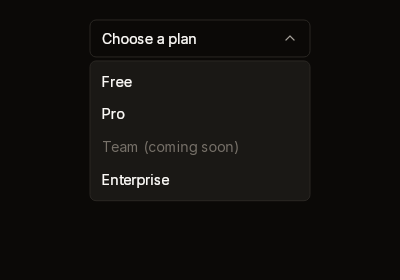
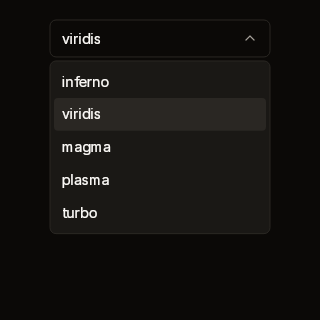
Fixtures: select-default, select-with-value, select-disabled, select-open, select-disabled-option and select-colormap.
Begin, Item, End
public static SelectScope Begin(
    BibuiRuntime runtime,
    string id,
    ReadOnlySpan<char> text,
    float width = 220f,
    bool disabled = false)

public static BibuiWidget SelectItem(
    this BibuiRuntime runtime,
    string id,
    ReadOnlySpan<char> label,
    bool selected = false,
    bool disabled = false)

// SelectScope
public bool Open { get; }
public void Close();
public Box End();| Parameter | Meaning |
|---|---|
id | The trigger's retained box. The list is the dropdown {id}-list. |
text | What the trigger reads: the chosen option's label, or a placeholder. |
width | The trigger's width. The list is as wide as the trigger was drawn. |
disabled | A raised, quiet trigger that swallows the press. It never opens. |
Item.selected | Draws that row raised. |
Item.disabled | A quiet row that swallows the press. |
Build rows only while scope.Open is true. Then call End() exactly once, even when the select is closed.
Claims and reports
- The trigger claims
InteractionKinds.LeftPress, orDisabled. EachItemrow claimsLeftPress, orDisabled, and returns its ownBibuiWidget. - The list is one of the runtime's dropdowns. It is drawn over everything, and nothing beneath it gets a press where it was drawn. After its rows, it claims
InteractionKinds.Press, so a press on its padding stops there. - A click on the trigger opens the list, or closes it. A press that a box outside the select takes closes it too, and so does one nothing takes.
End()returns the trigger, to place.
State the caller owns
Which value is chosen. The runtime keeps whether the list is open: call Close() when you apply an item's click.
Theme tokens
- Trigger: a
Surfacefill (SurfaceRaisedwhen disabled) and aBorderedge. The chevron isTextSecondary. The text isTextColor.Primary, orTextColor.Disabled. - List: a
SurfaceRaisedfill, aBorderedge and theruntime.Theme.Elevationoverlay shadow. - Rows:
SurfaceRaisedHoverwhen selected and under the pointer.TextColor.Primary, orTextColor.Disabled. - Edges are
runtime.Theme.Borders.Widthwide. Vertical padding is scaled byruntime.Theme.Density.
Example
using Bibui.Core;
using Bibui.Core.Runtime;

sealed class FruitPicker
{
    const string Placeholder = "Select a fruit…";
    static readonly (string Label, string Value)[] Fruits =
    [
        ("Apple", "apple"),
        ("Banana", "banana"),
        ("Cherry", "cherry"),
    ];

    string? _fruit;        // the caller's state

    public UiNode Build(BibuiRuntime runtime)
    {
        string shown = Placeholder;
        foreach (var (label, value) in Fruits)
            if (value == _fruit) shown = label;

        var select = Select.Begin(runtime, "fruit", shown);
        if (select.Open)
            foreach (var (label, value) in Fruits)
                if (runtime.SelectItem("fruit-" + value, label, selected: value == _fruit).Clicked)
                {
                    _fruit = value;
                    select.Close();
                }
        return select.End();
    }
}