
TextField
Text you can show, select and edit, drawn from your own buffer (BibuiStr) and edit state (TextEditState). There are three kinds of field and one look:
SingleLine: one line, clipped at the box's edge, that scrolls to keep the caret in view.Ellipsis: one line that ends in "…" when it does not fit.Multiline: text wrapped at the box's width. The wheel scrolls it.InputStyle: the padded, outlined input look, applied to a box you hold.
A field draws no frame of its own. It fills the parent in scope. For an input, acquire a box, give it InputStyle and a size, begin it as the parent (BeginParent), and build the field inside.

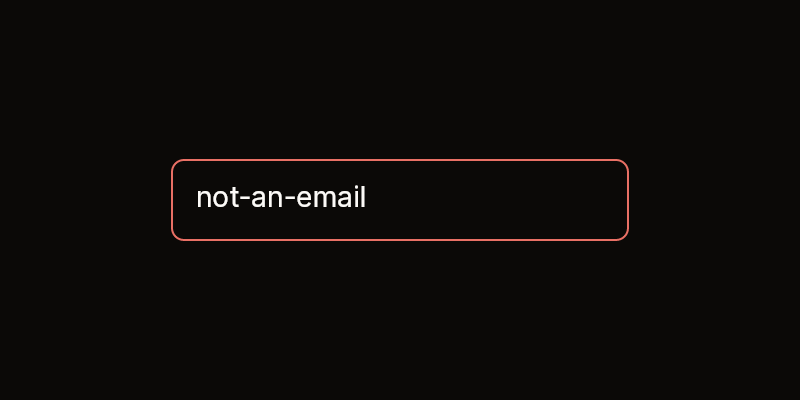


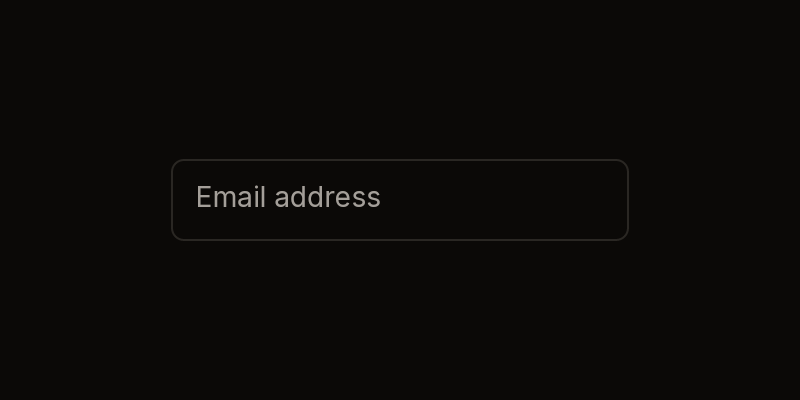
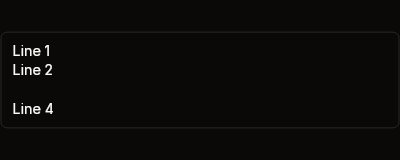
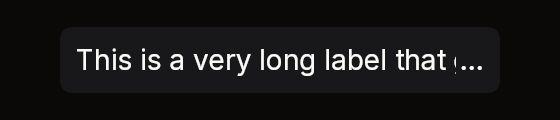
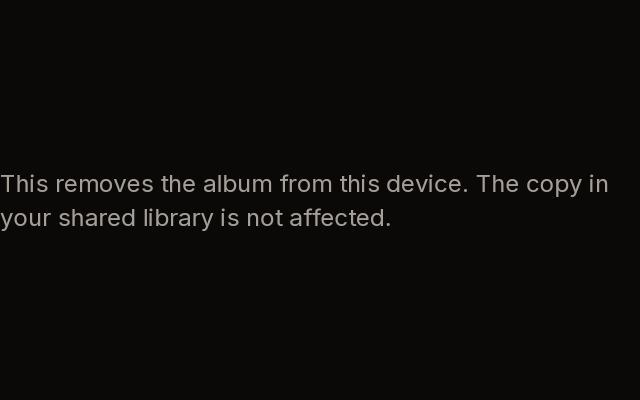
Fixtures: input-filled, input-no-error, input-error, input-disabled, input-focused, input-placeholder, textarea-default, textarea-no-error, textarea-error, textarea-disabled, textarea-multiline, text-ellipsis and text-ellipsis-fits. The wrapped paragraphs are text-wrap-default, text-wrapped-autosize-mid and text-wrapped-autosize-cap. input-focused is focused, with "example" selected and the caret at its end; input-placeholder is an unfocused, empty field showing its placeholder.
SingleLine, Ellipsis, Multiline
public static BibuiWidget TextField(
    this BibuiRuntime runtime, string id, BibuiStr text, TextEditState edit, bool focused,
    uint events = SingleLineEvents,
    TextColor textColor = TextColor.Primary,
    ReadOnlySpan<char> placeholder = default)

public static BibuiWidget EllipsisTextField(
    this BibuiRuntime runtime, string id, BibuiStr text, TextEditState edit, bool focused,
    uint events = 0,
    TextColor textColor = TextColor.Primary,
    ReadOnlySpan<char> placeholder = default)

public static BibuiWidget MultilineTextField(
    this BibuiRuntime runtime, string id, BibuiStr text, TextEditState edit, bool focused,
    uint events = MultiLineEvents,
    TextColor textColor = TextColor.Primary,
    ReadOnlySpan<char> placeholder = default,
    TextWrap wrap = TextWrap.Words)

public static SemanticSize Rows(BibuiRuntime runtime, int rows);
public static void InputStyle(BibuiRuntime runtime, Box box, bool focused, bool error = false, bool disabled = false);

public const uint SingleLineEvents, SingleLineReadOnlyEvents;
public const uint MultiLineEvents, MultiLineReadOnlyEvents;| Parameter | Meaning |
|---|---|
id | The field's retained view box, inside the parent in scope. |
text | Your buffer. A focused field edits it in place. |
edit | Your caret (Cursor) and selection anchor (Mark), as char offsets (UTF-16 code units), always on a character's boundary. A press or drag moves them. |
focused | Shows the caret and selection, and applies the frame's text events. |
events | Which events a focused field takes, as bits of BibUiEventKind. SingleLineEvents edits, SingleLineReadOnlyEvents selects and copies, and 0 only shows the text and takes no press. MultiLineEvents also takes Submit (Enter) as a new line. |
textColor | The text's colour. A placeholder is always TextColor.Secondary. |
placeholder | Shown, quieter, while the buffer is empty. |
wrap | Multiline breaks between words, or anywhere. |
Sizes: SingleLine is one line tall and as wide as its parent. Ellipsis needs a parent that is not sized by its children, because it measures the width that parent had last frame. Multiline is as tall as the size begun with runtime.BeginSizeY: SemanticSize.ChildrenSum() to fit its lines, TextField.Rows(runtime, n) for n lines, or a share.
InputStyle(runtime, box, focused, error, disabled) pads and outlines a box you hold. It uses the focus ring while focused, the destructive colour on an error, and the raised surface when disabled. It claims nothing, so a disabled input should also acquire its frame with InteractionKinds.Disabled, as the input-disabled fixture does.
Claims and reports
- The view box claims
InteractionKinds.ClipwithClampX(single line) orViewScrollY | ClampY(multi-line), and addsLeftPresswheneventsis not 0. - It returns a
BibuiWidgetwhoseNodeis the view.Pressedis your cue to focus the field. A press or drag places the caret and selects. A double press selects a word. - While focused, it eats the frame's events of the kinds in
events. Copy and cut go to the clipboard throughruntime.ClipboardSet.
State the caller owns
The text (BibuiStr), the caret and selection (TextEditState), and whether the field is focused. The field never changes focus: set it on Pressed, and clear it yourself on Escape, on Submit, or on a press elsewhere.
Theme tokens
InputStyle: aSurfacefill (SurfaceRaisedwhen disabled), aBorderedge, aDestructiveedge on error, andruntime.Theme.FocusRing(colour and width) while focused. The edge isruntime.Theme.Borders.Widthwide, and the vertical padding is scaled byruntime.Theme.Density.- Field: the text is
textColor, the placeholder isTextColor.Secondary, and the caret isTextPrimary, gliding atruntime.Rates.Follow. The selection highlight is a fixed translucent blue, not a token yet.
Example
using Bibui.Core;
using Bibui.Core.Runtime;
using Bibui.Core.TextEdit;

sealed class EmailInput
{
    const string Placeholder = "Email address";

    readonly BibuiStr _email = new(64);              // the caller's state
    readonly TextEditState _edit = new();
    bool _focused;

    public UiNode Build(BibuiRuntime runtime)
    {
        // The frame: the input look around one line, 240 px wide.
        Box frame = runtime.Box();
        TextField.InputStyle(runtime, frame, _focused);
        frame.SizeX = SemanticSize.Pixels(240f);
        frame.SizeY = SemanticSize.ChildrenSum();

        runtime.BeginParent(frame);
        BibuiWidget line = runtime.TextField("email", _email, _edit, _focused, placeholder: Placeholder);
        runtime.EndParent(frame);
        if (line.Pressed) _focused = true;

        // Escape or Enter ends editing.
        foreach (var ev in runtime.UnconsumedEvents)
            if (_focused && ev is { IsKeyDown: true, Key: Key.Escape } or { Kind: BibUiEventKind.Submit })
            {
                _focused = false;
                ev.Eat();
            }
        return frame;
    }
}
A textarea is the same, with Multiline and a height begun for it:
using Bibui.Core;
using Bibui.Core.Runtime;
using Bibui.Core.TextEdit;

sealed class MessageBox
{
    const string Placeholder = "Type your message here.";

    readonly BibuiStr _message = new(256);           // the caller's state
    readonly TextEditState _edit = new();
    bool _focused;

    public UiNode Build(BibuiRuntime runtime)
    {
        Box frame = runtime.Box();
        TextField.InputStyle(runtime, frame, _focused);
        frame.SizeX = SemanticSize.Pixels(400f);
        frame.SizeY = SemanticSize.ChildrenSum();

        runtime.BeginParent(frame);
        runtime.BeginSizeY(TextField.Rows(runtime, 3));
        if (runtime.MultilineTextField("message", _message, _edit, _focused, placeholder: Placeholder).Pressed)
            _focused = true;
        runtime.EndSizeY();
        runtime.EndParent(frame);
        return frame;
    }
}