Switch
An on/off switch: a full-radius track with a knob that travels from one end to the other when the value changes, and an optional label beside it. The knob grows a little under the pointer and while it is held.
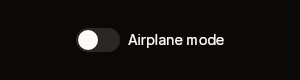

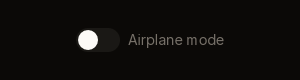
Fixtures: switch-default, switch-checked-true and switch-disabled-true.
Build
public static BibuiWidget Switch(
    this BibuiRuntime runtime,
    string id,
    bool on,
    ReadOnlySpan<char> label = default,
    bool disabled = false,
float height = 24f)| Parameter | Meaning |
|---|---|
id | The track's retained box. The knob is "knob" + id, and with a label the row is "row" + id. |
on | The value to draw. The switch never writes it. |
label | Text to the right of the track. The label is part of the row, but only the track takes the press. |
disabled | Drawn on the disabled surface. Swallows the press and reports nothing. |
height | The track's height in pixels. Every other size is a fraction of it: a 44×24 track by default. |
Claims and reports
- The track claims
InteractionKinds.LeftPress, orDisabled. - It returns a
BibuiWidget.Nodeis the row when there is a label, otherwise the track. Flip your value onClicked, not onPressed: pressing and sliding off is how someone changes their mind.
State the caller owns
The on value. The switch keeps only the knob's position mid-travel, in runtime.Animate(id, "checked", …).
Theme tokens
- Track:
Accentwhen on,Borderwhen off,SurfaceRaisedwhen disabled. - Knob:
AccentForegroundwhen on,TextPrimarywhen off. - Label:
TextColor.Primary, orTextColor.Disabled. - The knob travels at
runtime.Theme.Motion.Toggle.
Example
using Bibui.Core;
using Bibui.Core.Runtime;

sealed class AirplaneMode
{
    const string Label = "Airplane mode";

    bool _on;   // the caller's state

    public UiNode Build(BibuiRuntime runtime)
    {
        var toggle = runtime.Switch("airplane-mode", _on, Label);
        if (toggle.Clicked) _on = !_on;
        return toggle;
    }
}